Build a material from editable patterns and rules.
Create procedural 3D materials in Tesseract with noise, gradients, curvature and reusable graphs. Ask your agent to revise the finish without replacing the object.
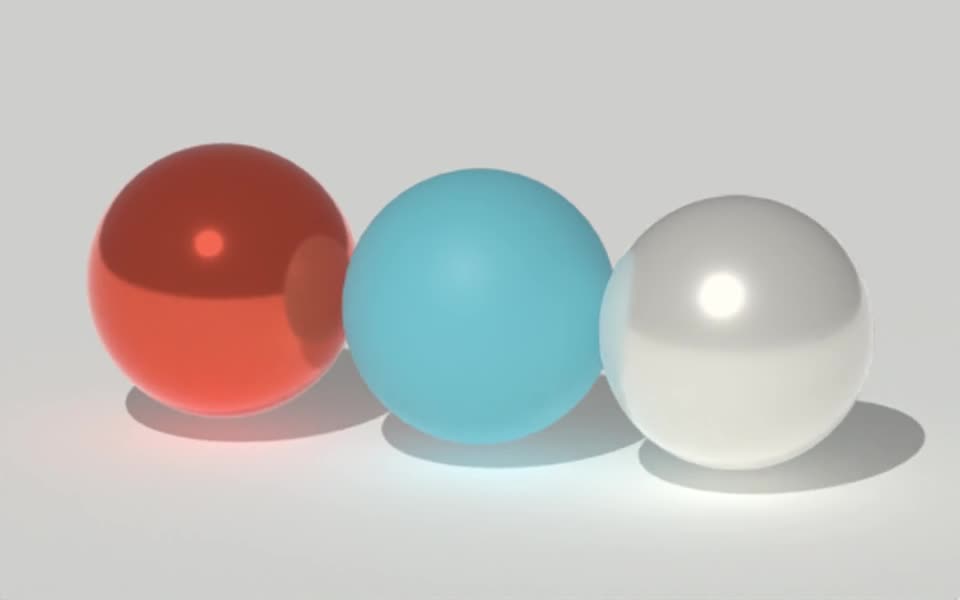
Rendered in Tesseract with path tracing at 32 samples per pixel. Download the editable project to revise the scene.
Give your agent this .tsrct file, then ask for a specific change.
Try it in your agent.
Use this prompt as a starting point. Review the result, then ask for the details you want to change.
A prompt to start from
Create a Tesseract material with a restrained procedural pattern and slightly different roughness near the object’s edges. Use a reusable material graph. Render a close preview under a broad moving highlight. Then change only the pattern scale, keeping the base color, lighting, geometry and animation unchanged.
New to Tesseract? Find the setup for your agent.
Keep control of the result.
- Pattern sources
- Use supported checker, bands, gradients and animated fractal noise.
- Material graphs
- Connect supported mix, arithmetic, channel and normal operations into reusable groups.
- Surface-aware inputs
- Use supported curvature or facing information for appearance that responds to the surface.
- Mapping and channels
- Choose texture projection, coordinates, filtering and input channels deliberately.
A few useful details.
Can one graph drive several material properties?
Supported graph sources can feed material inputs such as color and roughness. Keep the relationships explicit so later revisions affect the intended parts of the finish.
Can the pattern animate?
Supported sources and numeric properties can change over time. Review the complete motion for distracting flicker or unwanted scale changes.
Is this arbitrary shader programming?
No. This workflow uses the available material graph nodes and input types. It should not be presented as unrestricted GLSL, WGSL or Blender shader compatibility.
How do I try this with my agent?
Install or update Tesseract in a supported agent, attach your source files, and copy the prompt. Review the preview, then ask for the changes you want. The composition stays editable as you refine it.
Where does the video render?
Tesseract renders in the environment where your agent runs it, including supported local computers and hosted Linux environments. The engine is free; your agent’s subscription or usage costs are separate.
Put it to work in a project.
See how this tool fits into a complete, editable project.
Try these next.


Your next creative project, made with your agent.
Install Tesseract in your agent, bring a brief, and start creating.
Free on Mac, Windows, and Linux. Your agent’s costs are separate.
Read the prompt
Set up Tesseract by Mirage so you can create editable designs and 3D scenes, edit videos, and make motion graphics in this agent’s environment. Read https://github.com/mirage-hq/Tesseract and check the requirements for this local or hosted environment. If it is supported, follow the official plugin or skills installation guide, use its required runtime version, verify the download checksum, and confirm a short preview renders correctly. Then ask what I want to make and which brand references or source assets I have. Keep the editable project and source assets with the finished render.