Render 3D scenes with path tracing.
Render reflections and indirect light in editable 3D scenes. Start with opaque materials on Metal; test advanced materials in a short preview before a full export.
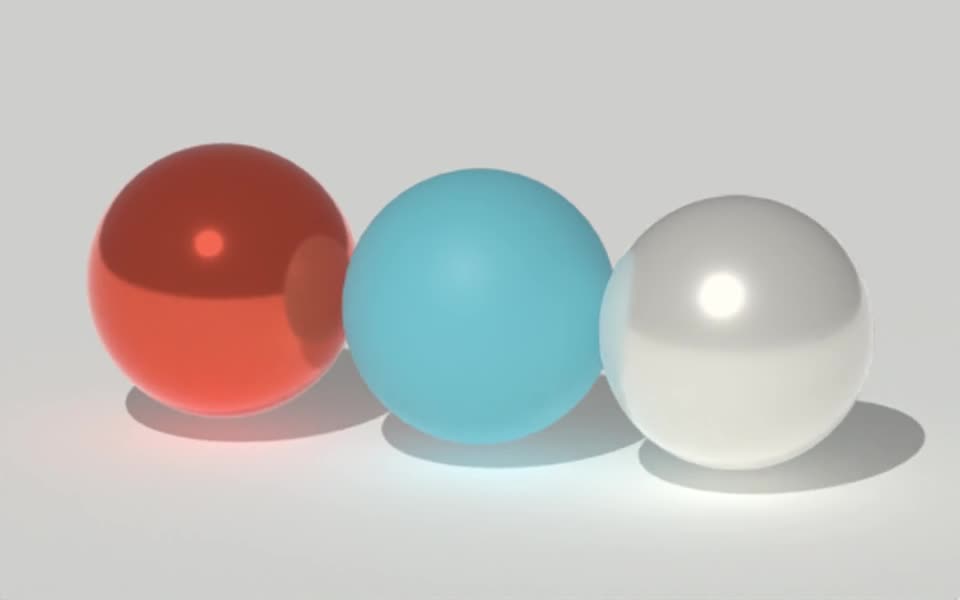
Rendered in Tesseract with path tracing at 128 samples per pixel. Download the editable project to revise the scene.
Give your agent this .tsrct file, then ask for a specific change.
Try it in your agent.
Use this prompt as a starting point. Review the result, then ask for the details you want to change.
A prompt to start from
Create a 4-second editable 3D scene in Tesseract with a polished metal sphere, a coral ring, and a matte studio floor. Use a moving area light so I can see the reflections change. Keep the geometry, materials, light, and camera editable. First show a raster preview for framing, then render a native path-traced preview at 32 samples. Compare a representative frame at the default 128 samples and choose the setting that preserves clean reflections and fine edges. Render a short draft before the final export and save the packaged .tsrct project.
New to Tesseract? Find the setup for your agent.
Keep control of the result.
- Sample count
- Increase samples to reduce noise; check a representative frame before exporting the full sequence.
- Light bounces
- Control diffuse, specular, transmission and volume bounces for the scene.
- Denoising
- Compare denoised and unfiltered previews when fine surface details matter.
- Highlight control
- Adjust indirect brightness clamping and specular blur when bright paths produce distracting noise.
A few useful details.
When should I use path tracing?
Use it when indirect light, reflections or transmission are important to the result. Raster rendering is useful for fast composition checks and stylized work.
Does it use dedicated ray-tracing hardware?
Tesseract uses GPU compute for path tracing, rather than dedicated RT-core or Apple hardware ray-tracing APIs. Render time depends on the scene, settings and machine.
Can every preview run with path tracing?
Path tracing is a native rendering option for supported preview and export workflows. Browser and iOS renderers do not provide the same path-tracing mode. Rendering cost depends on the available hardware and scene settings.
Are there known limitations in v0.5.0?
Some advanced materials, including glass, subsurface scattering, and iridescence, can fail to compile with path tracing on Metal in v0.5.0. Test a small preview on the machine that will render the final shot before committing to a glass treatment.
How do I try this with my agent?
Install or update Tesseract in a supported agent, attach your source files, and copy the prompt. Review the preview, then ask for the changes you want. The composition stays editable as you refine it.
Where does the video render?
Tesseract renders in the environment where your agent runs it, including supported local computers and hosted Linux environments. The engine is free; your agent’s subscription or usage costs are separate.
Put it to work in a project.
See how this tool fits into a complete, editable project.
Try these next.

Your next creative project, made with your agent.
Install Tesseract in your agent, bring a brief, and start creating.
Free on Mac, Windows, and Linux. Your agent’s costs are separate.
Read the prompt
Set up Tesseract by Mirage so you can create editable designs and 3D scenes, edit videos, and make motion graphics in this agent’s environment. Read https://github.com/mirage-hq/Tesseract and check the requirements for this local or hosted environment. If it is supported, follow the official plugin or skills installation guide, use its required runtime version, verify the download checksum, and confirm a short preview renders correctly. Then ask what I want to make and which brand references or source assets I have. Keep the editable project and source assets with the finished render.